
Tile Calculator
Opuslay is a free tile calculator that estimates how many tiles you need for any room — and, unlike a plain square-footage calculator, it counts them for the exact pattern you plan to lay. Choose a layout, enter your room size in inches or centimeters, and get piece counts plus a waste allowance you can adjust.
Share & export
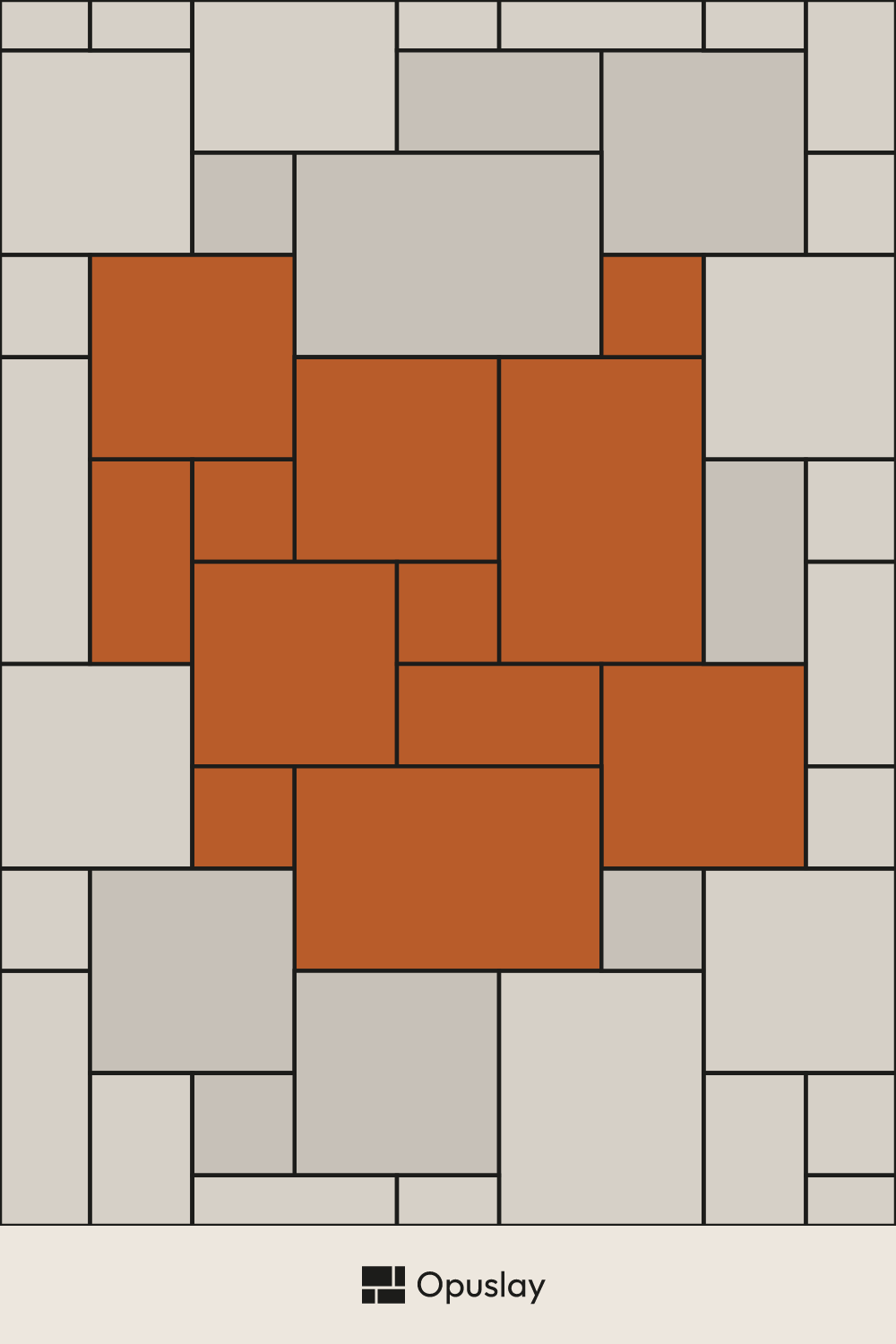
Save the Versailles Pattern (US Standard) — 8x8, 8x16, 16x16, 16x24 layout to your moodboard, or send the link to your tiler — it reopens with your room dimensions.

How the tile calculator works
Enter your room's width and length, pick the tile pattern and sizes you want, and Opuslay works out the number of tiles the layout requires — including the extra pieces needed where the pattern meets the walls. Results are shown in pieces and total area (sq ft or m²), so they stay accurate whatever box or carton size your supplier uses. Whether you use it as a floor tile calculator for a whole room or for a small backsplash, the method is the same.
You can switch between imperial and metric at any time: the same layout is available in US nominal sizes (inches) and metric-native sizes (centimeters).
How many tiles do I need?
The short answer: measure your room's square footage, then divide it by the area of one tile and add a margin for cuts and breakage. To calculate the square footage for tile, multiply the room's width by its length in feet — Opuslay does this for you when you enter your dimensions, then turns that tile floor estimate into a piece count for your chosen layout. The margin is where a pattern matters: a simple grid wastes little, while an angled or multi-size layout needs more. Opuslay applies a sensible default waste allowance per pattern and lets you override it.
A common starting point is 10% waste for straight layouts and 10–15% for diagonal or multi-size patterns such as the Versailles pattern or herringbone.
Why the pattern changes your tile count
Two rooms of the same size can need different quantities depending on the layout. A subway running bond repeats cleanly and cuts little; a herringbone or the Opus Roman pattern creates more edge cuts and needs a larger allowance. Opuslay calculates each layout on its real geometry rather than a flat percentage, so the estimate follows the pattern you actually chose.
Browse the full library below, or start from a common format such as 24x24 tile or 12x12 tile and adjust from there.
Frequently Asked Questions
How do I calculate how many tiles I need?
Divide your room area by the area of a single tile, then add a waste allowance for cuts and breakage. Opuslay does this automatically for your chosen pattern and lets you adjust the waste percentage.
How do I calculate the square footage for tile?
Measure the room's width and length in feet and multiply them to get the square footage; for an irregular room, split it into rectangles, work out each one, and add the areas together. Enter those dimensions into Opuslay and it converts the square footage into a piece count for your chosen tile size and pattern.
Is the Opuslay tile calculator free?
Yes. The tile calculator and the full pattern library are free to use, with no sign-up required.
Does it work in both inches and centimeters?
Yes. You can enter room dimensions and tile sizes in imperial (inches, feet) or metric (centimeters, meters), and switch units at any time.
How much extra tile should I buy?
Plan on about 10% extra for straight layouts and 10–15% extra for diagonal or multi-size patterns, to cover cuts and breakage. Rooms with many corners or obstacles may need a little more, and it's worth keeping a few spare tiles from the same batch for future repairs.
Does the tile pattern change how many tiles I need?
Yes. Patterns with more edge cuts — diagonals, herringbone, or multi-size layouts like the Versailles pattern — need more tiles than a simple grid of the same area.